The NotebookLM Pipeline
How I automated audio overviews, quizzes, mind maps, and infographics for 32 projects using NotebookLM's API and some shell scripts.
Listen while you read
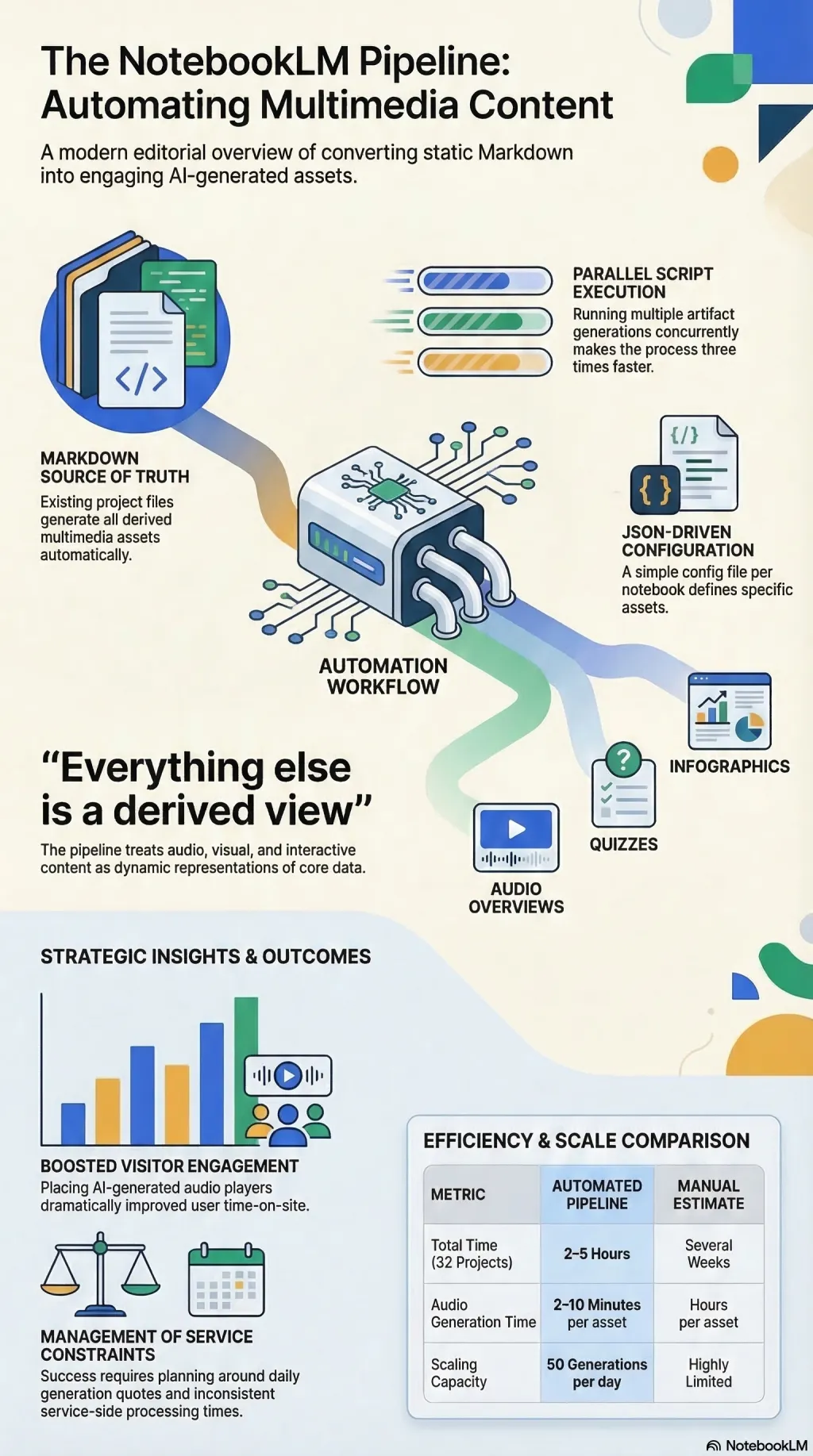
Every project page on this site has an “Explore” section at the bottom. Audio overviews. Quizzes. Mind maps. Infographics. These aren’t hand-crafted — they’re generated by a pipeline that takes a Markdown file and produces a constellation of multimedia assets in about ten minutes.
Here’s how it works.
The problem
I had 32 project pages. Each one had a description — some long, some short. What they didn’t have was any way for a visitor to engage with the material beyond reading. Audio is better for some people. Visual summaries help others. Quizzes are surprisingly effective for retention.
Doing this by hand for 32 projects would take weeks. So I automated it.
The stack
The pipeline runs on NotebookLM, Google’s research tool. NotebookLM can ingest source material and generate various “studio” artifacts — audio overviews (two AI hosts discussing your material), video summaries, quizzes, flashcards, mind maps, infographics, and written reports.
The automation layer is a set of shell scripts that drive NotebookLM via its CLI:
automate-notebook.sh— Creates a notebook, adds sources, generates artifacts, exports resultsgenerate-parallel.sh— Runs multiple artifact generations concurrently (3x faster)research-topic.sh— Discovers and adds relevant web sources automatically
The workflow
For each project:
Project Markdown → NotebookLM Notebook → Audio + Quiz + Mind Map + Infographic → public/notebook-assets/A JSON config file specifies what to generate:
{
  "title": "Project Name",
  "sources": ["textfile:src/content/projects/project-name.md"],
  "studio": [
    {"type": "audio"},
    {"type": "infographic"},
    {"type": "quiz"},
    {"type": "mindmap"}
  ]
}
The batch script generate-all-notebook-assets.sh iterates through every project, checks what’s missing, and fills the gaps. A full run across 32 projects takes about 2–5 hours, mostly waiting for audio generation (2–10 minutes per asset).
What worked
- Audio overviews are surprisingly good. The two-host format makes dry technical material genuinely listenable. Visitors spend more time on pages with audio.
- Parallel generation saves hours. Running quiz, flashcards, and report generation concurrently while audio processes in the background.
- The “listen while you read” pattern. Placing the audio player at the top of project pages rather than buried in the Explore section dramatically improved engagement.
What didn’t
- Infographic generation is unreliable. About 10% of attempts time out. Four projects consistently fail. This appears to be a service-side issue.
- Video summaries are too large. A single video overview can be 100MB. For a static site, that’s untenable.
- Daily quotas. NotebookLM limits you to about 50 audio generations per day. Batch generation of 32 projects requires planning around this.
The meta-lesson
The pipeline itself is more interesting than any individual asset it produces. It’s a pattern: take structured content, route it through an AI service, and produce multiple representations of the same material. The source of truth remains the Markdown file. Everything else is a derived view.
The pipeline documentation and automation toolkit are both open source.