NotebookLM Automation
Full programmatic control over Google NotebookLM via reverse-engineered RPC. Export, generate, automate — what Google didn't build.
Listen while you read
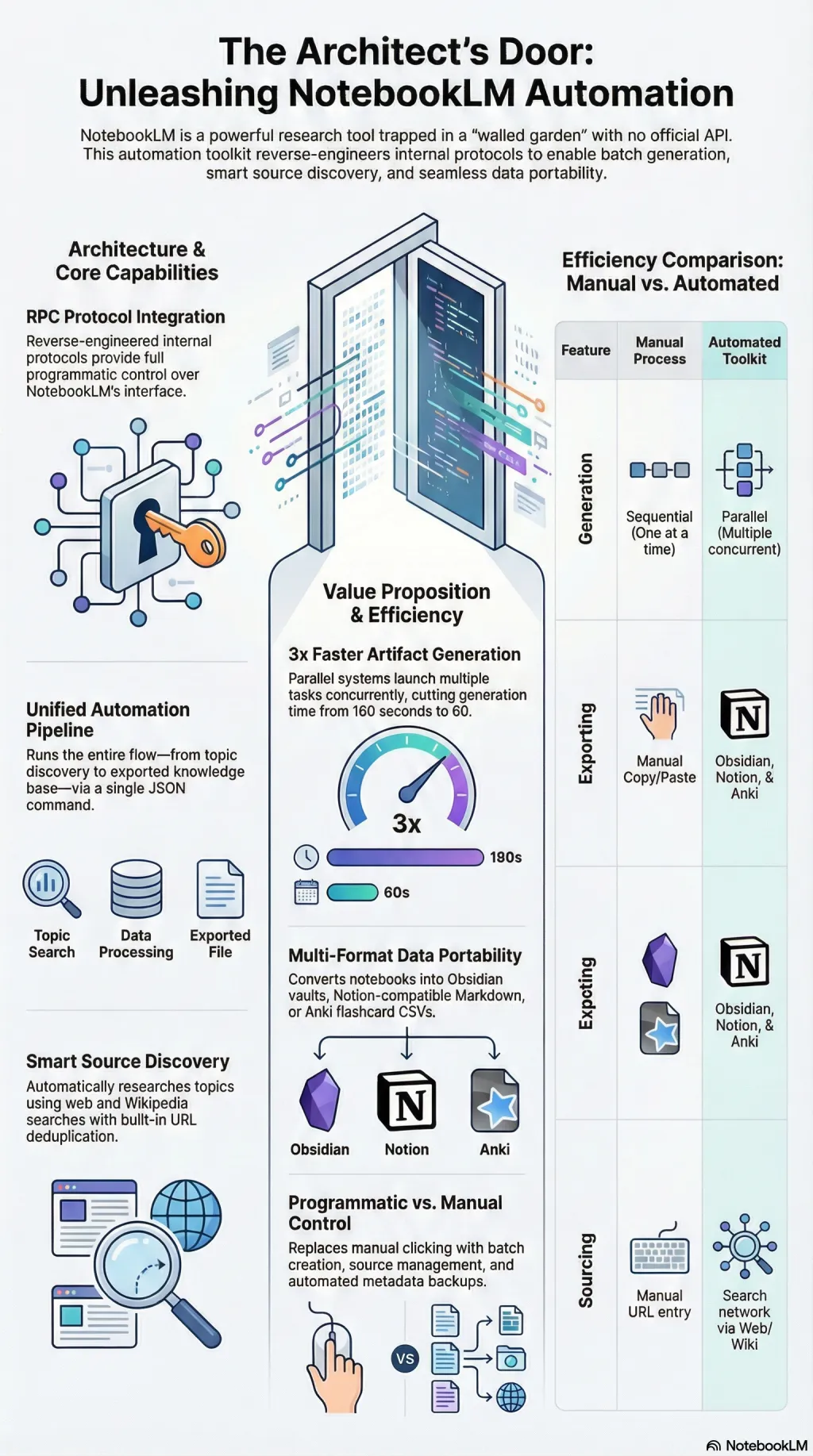
Google built NotebookLM as a walled garden. I built a door.
NotebookLM is a remarkable research tool. It generates audio overviews, quizzes, mind maps, slide decks, and reports from your sources. But everything lives inside Google’s interface with no programmatic access, no export, and no automation. If you have 80 notebooks and want to back them up, you click through each one manually. If you want to generate artefacts across a batch, you wait and watch.
I reverse-engineered NotebookLM’s internal RPC protocol to provide full programmatic control. Export entire notebooks—sources, notes, studio artefacts, metadata—to structured local directories. Create notebooks from code. Add sources from URLs, text, or Google Drive. Generate any of the nine artefact types and poll until completion. Run end-to-end automation from a JSON config file.
The parallel generation system launches multiple artefacts concurrently—three in 60 seconds versus 180 sequential. Smart notebook creation starts from a topic, discovers sources through web search and Wikipedia, deduplicates URLs, and builds the notebook automatically. A template system supports variable interpolation across pre-built configurations for academic research, course notes, podcast preparation, and presentations.
Multi-format export converts notebooks to Obsidian vaults with wikilinks, Notion-compatible markdown, or Anki flashcard CSVs. The whole pipeline—from topic to populated notebook to generated artefacts to exported knowledge base—runs in a single command.
It uses unofficial APIs that could break with any frontend update. The README says to use a burner account. I mean it. But the capability gap between what NotebookLM can do and what you can automate around it was too wide to leave alone.