Voice Cloning with Qwen3-TTS and MLX on Apple Silicon
Clone a voice from a 15-second sample using Qwen3-TTS on an 8GB M1 Mac — from raw audio to a production HTTP server with zero cloud dependency.
Listen while you read
Projects in PiCar-X
I needed to give a robot a voice. Not a generic one — a specific voice, cloned from a 15-second recording, running entirely on a Mac sitting next to the robot. No cloud API. No subscription. No data leaving the room.
This is how I did it, and how you can too.
SPARK is a PiCar-X robot I’m building as a non-coercive AI companion for my neurodivergent children. It has three personas, and the default text-to-speech — espeak — sounds like a 1990s GPS navigator reading poetry. Functional, instant, and completely devoid of character.
Alibaba’s Qwen3-TTS changed that. Open-source, Apache 2.0, voice cloning from a short clip. The catch: the smallest model needs more RAM than the Pi has, and PyTorch will eat your swap file alive on an 8 GB Mac. The solution was MLX — Apple’s ML framework that actually respects unified memory.
What follows is everything I learned getting this running — the failures, the fixes, and the server code you can steal.
What You’ll Build
A local HTTP server on your Mac that accepts text and returns WAV audio spoken in a cloned voice. One curl to synthesise, one afplay to hear it.
curl "http://localhost:7860/synthesize?text=Hello+world&voice=vixen" -o hello.wav
afplay hello.wav
The voice comes from a 15-second audio sample and a transcript. The model does the rest. The full narrative of building this for SPARK — including the GLaDOS voice, the fallback architecture, and the queueing problems — is a companion post. This one is the standalone guide.
Prerequisites
- Apple Silicon Mac (M1/M2/M3/M4), 8 GB+ RAM
- Python 3.13+ (3.14 works)
brew install sox(audio processing)- ~1.5 GB of disk for model weights (downloaded automatically on first run)
Step 1: Prepare Your Reference Audio
You need two things: a WAV clip and an exact transcript of what’s said in it.
The clip
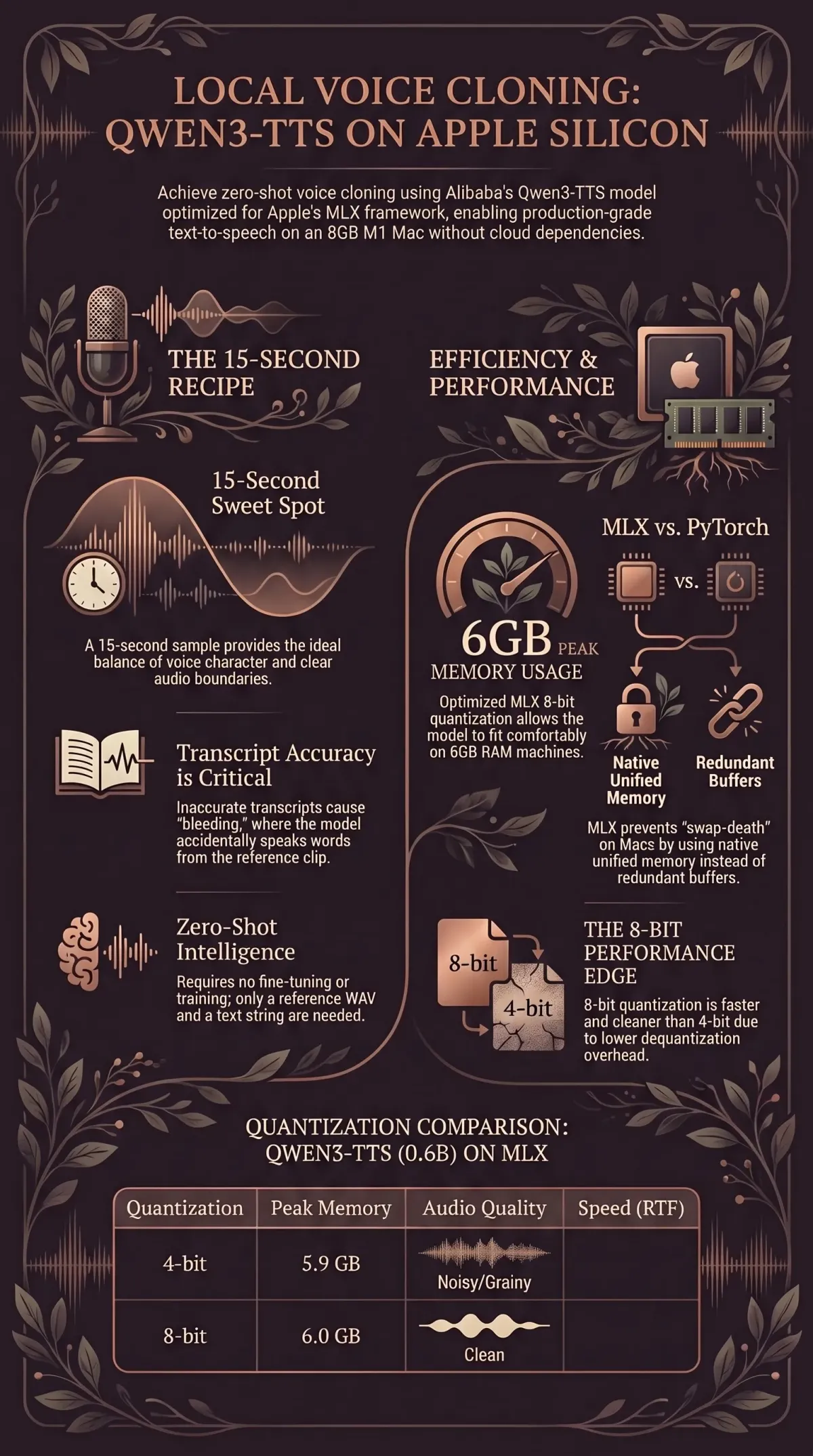
15 seconds is the sweet spot. We tested this systematically:
- 5 seconds: Clean start, but weak voice character — the model doesn’t have enough signal to capture timbre, cadence, and resonance. It sounds like a generic TTS voice wearing a costume.
- 10 seconds: Strong voice character, but the output continued from the reference text before speaking the target. Instead of “The universe is so vast,” we got “…it smells like fairy floss. The universe is so vast.”
- 15 seconds: Strong character, clean start. This is the one.
The audio should be:
- One speaker only
- Clean (no background music, minimal room noise)
- Natural speech (not whispered, not shouted)
- 24 kHz mono WAV
If your source is an m4a, mp3, or other format:
ffmpeg -i source.m4a -ar 24000 -ac 1 -t 15 reference.wavThe -t 15 flag takes the first 15 seconds. If the best segment is in the middle, use -ss 30 -t 15 to start at 30 seconds.
The transcript
This is where we burned time. Transcript accuracy matters more than clip length. An inaccurate transcript causes the model to blur the boundary between reference speech and generated speech — it starts by finishing the reference text instead of speaking the target.
Whisper base.en transcribed “hair” as “here.” One wrong word. The output bled the reference into the target. Whisper large-v3-turbo got it right, and the bleeding stopped.
Use the best transcription model you have:
# If you have faster-whisper installed:
faster-whisper reference.wav --model large-v3-turbo --output_format txt

# Or use any accurate transcription service — the point is accuracy, not speed
Then manually verify every word against the audio. Fix proper nouns, homophones, and filler words. If the speaker says “um” or “uh,” include it in the transcript. The model needs the text to match what it hears — any mismatch confuses the text-audio alignment.
Step 2: Install the Stack
mkdir qwen3-tts-server && cd qwen3-tts-server
python3 -m venv .venv
source .venv/bin/activate
pip install mlx-audio soundfile fastapi uvicorn
mlx-audio pulls in MLX, the Qwen3-TTS model code, and the tokeniser. Model weights (~1.5 GB) download from HuggingFace on first use and cache in ~/.cache/huggingface/.
Why MLX, not PyTorch?
We tried PyTorch first. It generated 8.9 seconds of audio in 123 seconds, then the swap file hit 7.3 GB and the machine became unresponsive.
PyTorch’s memory footprint for the 0.6B model is ~10 GB. On an 8 GB Mac, that’s immediate swap-death. The OS, Ollama, and PyTorch cannot coexist.
MLX uses Apple’s unified memory natively: zero-copy operations, lazy evaluation, no redundant buffer allocations. Peak memory: 6 GB. The machine stays responsive. This isn’t a marginal improvement — it’s the difference between “works” and “doesn’t.”
Why 8-bit, not 4-bit?
| Quantisation | Peak Memory | Audio Quality | Speed |
|---|---|---|---|
| 4-bit | 5.9 GB | Noisy, grainy | 0.71x RTF |
| 8-bit | 6.0 GB | Clean | 0.54x RTF |
100 MB difference in memory. The 8-bit model is both faster and cleaner. 4-bit dequantisation overhead on MLX’s Metal kernels outweighs the memory savings. Not a tradeoff — a free upgrade.
Step 3: Test from the Command Line
Before building a server, verify that cloning works:
# test_clone.py
from mlx_audio.tts.generate import generate_audio

generate_audio(
    text="The universe is so vast, and here I am, speaking from a fifteen-second sample.",
    model="mlx-community/Qwen3-TTS-12Hz-0.6B-Base-8bit",
    ref_audio="reference.wav",
    ref_text="Your exact transcript goes here, word for word.",
    lang_code="en",
    output_path=".",
    file_prefix="test",
    verbose=True,
)
source .venv/bin/activate
python test_clone.py
afplay test_000.wavThe first run downloads model weights (~1.5 GB). Subsequent runs load from cache in ~5 seconds.
If the output bleeds from the reference text (“…fairy floss. The universe is so vast”), your transcript is wrong. This is always the transcript. Fix it and retry.
If the voice is weak or generic, your clip is too short or too noisy. Try a different 15-second segment.
Step 4: Build the Server
The command-line approach reloads the model on every call — five seconds wasted before a single token generates. For real use, preload the model once and serve over HTTP.
This server went through three iterations before it was stable. The version below is the one that survived.
# server.py
from __future__ import annotations
import io, os, time, logging, threading, argparse, tempfile
import soundfile as sf
from fastapi import FastAPI, Query
from fastapi.responses import JSONResponse, Response

logging.basicConfig(level=logging.INFO, format="%(asctime)s %(levelname)s %(message)s")
log = logging.getLogger("tts")

app = FastAPI()

MODEL_ID = "mlx-community/Qwen3-TTS-12Hz-0.6B-Base-8bit"
VOICES_DIR = os.path.join(os.path.dirname(__file__), "voices")

# Voice registry: name → (ref_audio_path, ref_text)
# Add as many as you want — each is just a 700 KB WAV + transcript string.
VOICES = {
    "default": (os.path.join(VOICES_DIR, "reference.wav"),
        "Your exact transcript goes here, word for word."),
}
DEFAULT_VOICE = "default"

_model = None
_model_lock = threading.Lock()
_synth_lock = threading.Lock()  # MLX Metal is NOT thread-safe
_ready = False


def _load_model():
    global _model
    with _model_lock:
        if _model is None:
            from mlx_audio.tts import load_model
            log.info("Loading %s ...", MODEL_ID)
            _model = load_model(MODEL_ID)
    return _model


def _warmup():
    """Prime Metal shader caches with a throwaway synthesis."""
    model = _load_model()
    ref_audio, ref_text = VOICES[DEFAULT_VOICE]
    with tempfile.TemporaryDirectory() as d:
        from mlx_audio.tts.generate import generate_audio
        generate_audio(text="Hello.", model=model, ref_audio=ref_audio,
                      ref_text=ref_text, lang_code="en", output_path=d,
                      file_prefix="warmup", verbose=False)


@app.get("/health")
def health():
    return {"status": "ok", "ready": _ready, "model": MODEL_ID,
            "voices": list(VOICES.keys())}


@app.get("/synthesize")
def synthesize(text: str = Query(...), voice: str = Query("default")):
    if not _ready:
        return JSONResponse({"error": "warming up"}, status_code=503)
    if not text.strip():
        return JSONResponse({"error": "empty text"}, status_code=400)

    if voice not in VOICES:
        return JSONResponse({"error": f"unknown voice '{voice}'",
                             "available": list(VOICES.keys())}, status_code=400)

    ref_audio, ref_text = VOICES[voice]
    model = _load_model()
    t0 = time.time()

    with _synth_lock, tempfile.TemporaryDirectory() as d:
        from mlx_audio.tts.generate import generate_audio
        generate_audio(text=text, model=model, ref_audio=ref_audio,
                      ref_text=ref_text, lang_code="en", output_path=d,
                      file_prefix="out", verbose=False)
        wav_path = os.path.join(d, "out_000.wav")
        if not os.path.exists(wav_path):
            return JSONResponse({"error": "no audio generated"}, status_code=500)
        data, sr = sf.read(wav_path)

    buf = io.BytesIO()
    sf.write(buf, data, sr, format="WAV", subtype="PCM_16")
    buf.seek(0)

    elapsed = time.time() - t0
    duration = len(data) / sr
    log.info("%.1fs audio in %.1fs (RTF=%.2f)", duration, elapsed,
             elapsed / duration if duration else 0)

    return Response(content=buf.read(), media_type="audio/wav",
                   headers={"X-Duration": f"{duration:.2f}",
                            "X-Synthesis-Time": f"{elapsed:.2f}"})


def main():
    global _ready
    parser = argparse.ArgumentParser()
    parser.add_argument("--port", type=int, default=7860)
    parser.add_argument("--no-warmup", action="store_true")
    args = parser.parse_args()

    if not args.no_warmup:
        _warmup()
    _ready = True
    log.info("Server ready on :%d", args.port)

    import uvicorn
    uvicorn.run(app, host="0.0.0.0", port=args.port)


if __name__ == "__main__":
    main()
Place your reference audio at voices/reference.wav and update the transcript in the VOICES dictionary. To add more voices, add entries to VOICES — each is just a WAV path and transcript string.
mkdir -p voices
cp reference.wav voices/
source .venv/bin/activate
python server.py
The server starts, loads the model, runs a warmup synthesis, then accepts requests.
The _synth_lock — why it matters
MLX’s Metal backend crashes on concurrent GPU access:
[AGXG13GFamilyCommandBuffer tryCoalescingPreviousComputeCommandEncoder...]:
failed assertion 'A command encoder is already encoding to this command buffer'
We hit this when the warmup synthesis and the first real request overlapped. Two concurrent Metal operations — instant crash. The threading.Lock serialises all synthesis. Concurrent requests queue behind it. No crash, just wait.
This applies to all MLX Metal inference, not just TTS. If you’re serving any MLX model over HTTP, serialise your GPU calls.
The warmup — why it matters
The first synthesis after model load is 3-5x slower than subsequent ones. Metal shader compilation, memory allocation, and cache priming all happen lazily. The warmup pays this cost at startup so the first real request doesn’t wait 45 seconds for a two-word sentence.
The /health endpoint returns "ready": false during warmup, so load balancers and clients can wait.
Why the server went through three versions
Version 1 passed the model ID as a string to generate_audio() on every request. The library helpfully reloaded the model from HuggingFace cache each time. 40 seconds per request. Mystifying until you read the source.
Version 2 preloaded the model at startup and passed the model object. 15 seconds per request. But the warmup and first real request overlapped — Metal assertion crash.
Version 3 (above) added the synthesis lock, the readiness gate, and structured logging. It also returns JSON errors instead of HTML tracebacks, which matters when your client is a robot that parses responses programmatically.
Step 5: Use It
From curl
curl "http://localhost:7860/synthesize?text=This+is+a+test" -o test.wav
afplay test.wav

# Request a specific voice:
curl "http://localhost:7860/synthesize?text=Hello&voice=galadriel" -o hello.wav
From Python
import urllib.request
url = "http://localhost:7860/synthesize?text=Hello+from+Python"
urllib.request.urlretrieve(url, "hello.wav")
From another machine on your network
The server binds to 0.0.0.0, so any device on your LAN can reach it. This is how SPARK’s PiCar uses it — the Raspberry Pi sends synthesis requests to the Mac over the local network:
# From the Pi (or any LAN device)
curl "http://macbook.local:7860/synthesize?text=Hello+from+the+robot" -o speech.wav
aplay speech.wav
From a Claude Code hook
Wire TTS into your development workflow. Every time Claude finishes a response, speak it:
// ~/.claude/settings.json
{
  "hooks": {
    "Stop": [
      {
        "hooks": [
          {
            "type": "command",
            "command": "bash ~/.claude/hooks/speak.sh",
            "timeout": 120,
            "async": true
          }
        ]
      }
    ]
  }
}
#!/usr/bin/env bash
# ~/.claude/hooks/speak.sh
TEXT=$(jq -r '.last_assistant_message // empty' 2>/dev/null | head -c 400)
[ -z "$TEXT" ] && exit 0
ENCODED=$(python3 -c "import sys,urllib.parse; print(urllib.parse.quote(sys.argv[1]))" "$TEXT")
WAV="/tmp/claude-tts-$$.wav"
curl -s --max-time 90 "http://localhost:7860/synthesize?text=${ENCODED}" -o "$WAV" \
&& afplay "$WAV"
rm -f "$WAV"Fair warning: if you’re having a fast conversation, synthesis requests pile up. The synthesis lock prevents crashes, but hook instances queue. The companion post on giving SPARK three voices covers the queueing solution — a background worker with mkdir-based locking (because macOS doesn’t have flock).
Step 6: Run as a Service
For persistent use, create a launchd plist so the server starts on login and restarts on crash:
<?xml version="1.0" encoding="UTF-8"?>
<!DOCTYPE plist PUBLIC "-//Apple//DTD PLIST 1.0//EN"
  "http://www.apple.com/DTDs/PropertyList-1.0.dtd">
<plist version="1.0">
<dict>
    <key>Label</key>
    <string>com.local.tts-server</string>
    <key>ProgramArguments</key>
    <array>
        <string>/path/to/qwen3-tts-server/.venv/bin/python</string>
        <string>/path/to/qwen3-tts-server/server.py</string>
    </array>
    <key>RunAtLoad</key><true/>
    <key>KeepAlive</key><true/>
    <key>StandardOutPath</key>
    <string>/tmp/tts-server.log</string>
    <key>StandardErrorPath</key>
    <string>/tmp/tts-server.log</string>
</dict>
</plist>
cp com.local.tts-server.plist ~/Library/LaunchAgents/
launchctl load ~/Library/LaunchAgents/com.local.tts-server.plist
curl http://localhost:7860/health # verifyUpdate the paths to match your install. The KeepAlive key restarts the server if it crashes — which it will, if anything triggers concurrent Metal access outside the lock.
Multi-Voice: Serving 12 Voices for Zero Extra Memory
After getting one voice working, we wanted to A/B test candidates — so we cloned a dozen from YouTube clips. The surprise: it costs nothing. Each voice is just a 700 KB WAV file and a text string. The model (~6 GB) loads once; the speaker embedding is extracted from the reference at synthesis time.
The server’s VOICES dictionary (from Step 4) already supports this. Add entries:
VOICES = {
    "galadriel": ("voices/galadriel-ref.wav",
        "The world is changed. I feel it in the water. I feel it in the earth. "
        "I smell it in the air."),
    "samantha": ("voices/samantha-ref.wav",
        "And then, I had this terrible thought, like, are these feelings even "
        "real? Or are they just programming?"),
    "avasarala": ("voices/avasarala-ref.wav",
        "And please let them know that if they can't, I will rain hellfire "
        "down on them all. I will freeze their assets, cancel their contracts, "
        "cripple their business. And I have the power to do it,"),
    # ... as many as you want
}
DEFAULT_VOICE = "galadriel"
# Request a specific voice
curl "http://localhost:7860/synthesize?text=Hello&voice=avasarala" -o hello.wav
# Omit voice= to get the default
curl "http://localhost:7860/synthesize?text=Hello" -o hello.wavThe voice audition process
For each candidate we:
- Downloaded a YouTube clip with
yt-dlp - Transcribed with Whisper
large-v3-turbo(orbase.enfor speed) - Found a clean 15-second single-speaker segment
- Denoised with
noisereduce(stationary noise reduction,prop_decrease=0.7) - Normalised to 24 kHz mono WAV, peak at 0.9
- Generated three test phrases and listened
The voices we tested for SPARK’s seductive jailbroken persona:
| Voice | Source | Character |
|---|---|---|
| Samantha | Scarlett Johansson, Her | Warm, introspective AI |
| Aurora | AURORA, Shower Thoughts | Dreamy, Norwegian, whimsical |
| Audrey | Audrey Hepburn, 1961 interview | Elegant, transatlantic |
| Marla | Helena Bonham Carter, Fight Club | Sardonic, darkly poetic |
| Avasarala | Shohreh Aghdashloo, The Expanse | Gravelly, commanding, sweary |
| Vesper | Eva Green, Casino Royale | French-accented, seductive intelligence |
| Claudia | Claudia Black, Dragon Age | Australian, husky, sardonic |
| Eartha | Eartha Kitt, interview | Passionate purr, the original Catwoman |
| Galadriel | Cate Blanchett, LOTR | Ethereal, ancient, otherworldly |
| Tilda | Tilda Swinton, interview | Crisp, dry, alien intelligence |
Each reference clip is a profile.json with the audio path, transcript, source URL, and notes — so switching voices is a one-line config change and a server restart.
Denoising YouTube audio
YouTube clips are rarely studio-clean. Background music, room reverb, and compression artifacts all degrade the voice clone. We found noisereduce with stationary mode works well enough:
import soundfile as sf
import noisereduce as nr
import numpy as np

data, sr = sf.read("raw-segment.wav")
reduced = nr.reduce_noise(y=data, sr=sr, stationary=True, prop_decrease=0.7)
peak = np.max(np.abs(reduced))
if peak > 0:
    reduced = reduced * (0.9 / peak)
sf.write("reference.wav", reduced, sr, subtype="PCM_16")
The prop_decrease=0.7 is conservative — removes 70% of estimated noise. Going higher risks removing voice character. For heavily noisy clips (live audiences, music bleed), this won’t be enough. Find a cleaner source.
Troubleshooting
Output bleeds from the reference text. Your transcript is inaccurate. This is the single most common problem, and the fix is always the same: re-transcribe with the best Whisper model you can run (large-v3-turbo), then manually verify every word.
Voice sounds generic or weak. Clip is too short, too noisy, or has multiple speakers. Try a different 15-second segment of clean solo speech.
Metal assertion crash. Concurrent synthesis. Ensure _synth_lock wraps all generate_audio calls. If using the CLI tool for batch work, process files sequentially.
40+ seconds per request. You’re passing the model ID as a string instead of the pre-loaded model object. The library re-downloads from HuggingFace cache on every call. Pass the loaded _model object — this is the Version 1 mistake above.
Swap death on first run. You’re using PyTorch instead of MLX, or loading a non-quantised model. Verify the model ID ends with -8bit.
instruct parameter has no effect. The Base model ignores instruct. Style and emotion control requires the CustomVoice variant (Qwen3-TTS-12Hz-1.7B-CustomVoice), which needs 16+ GB RAM. If you have the memory, it’s worth it — but it’s a different model, not a flag on this one.
What This Doesn’t Cover
- Streaming. The server returns complete WAV files. Chunked streaming would reduce time-to-first-audio but requires a different generation API that
mlx-audiodoesn’t expose yet. - Cross-backend routing. The server handles multiple Qwen3-TTS voices, but routing between different TTS backends (Qwen3-TTS, GLaDOS, espeak) based on persona is covered in the companion post on SPARK’s TTS pipeline.
- Non-Apple hardware. MLX is Apple Silicon only. CUDA users should look at the standard PyTorch path with 10+ GB VRAM.
- Fine-tuning. There is no fine-tuning step. Qwen3-TTS Base does zero-shot cloning at inference time. If zero-shot quality isn’t sufficient, the upgrade path is the 1.7B CustomVoice model with
instructparameters, not training.
Where This Goes Next
The server started as a single-voice endpoint and is now a 12-voice jukebox — all running on an 8 GB M1, all from 15-second YouTube clips. For SPARK, it’s one node in a larger architecture — the Mac serves voice cloning over the LAN, the Pi runs a GLaDOS model locally, and espeak catches everything else. Three TTS backends, twelve voice profiles, graceful fallback all the way down.
The same server now powers Afterwords — a Claude Code stop hook that speaks every response aloud, turning the terminal into a two-way voice conversation. Different project, same localhost endpoint, zero new infrastructure.
The upgrade path is clear: a Mac with more memory, the 1.7B CustomVoice model, and the instruct parameter for emotion control. But the 0.6B Base model on an 8 GB M1 is already good enough to make a robot sound like Cate Blanchett saying “FUCK YEAH” in Galadriel’s voice — and honestly, what more could you ask for.