Afterwords
Local voice-cloning TTS on Apple Silicon — now a three-tier product: a local server, a native macOS menu-bar app, and your own cloud API.
Listen while you read
Related episodes
Blog posts in PiCar-X
Afterwords clones a voice from a fifteen-second clip and runs it on your own machine. It began as a way to give SPARK a voice and to complete the voice loop in Claude Code — local TTS, zero cloud dependency. It is now three pieces, each holding to the same principle: clone once, own forever, use anywhere. (The full thinking is in Own Your Voice.)
Three tiers
Local — the TTS server. A FastAPI server running Qwen3-TTS (0.6B and 1.7B) on MLX. Clone from a fifteen-second clip; serve any number of voices from a single model load. It ships with 103 flagship voice families (284 profiles) and wires into the harnesses you already use — Claude Code, Codex CLI, Cursor, Gemini CLI / Antigravity, and Hermes — to speak every response aloud. No cloud API, no subscription, no data leaving the machine.
App — the macOS control panel. A native SwiftUI menu-bar app (v1.2) that makes the local server feel like a first-class Mac citizen: a live status icon (stopped / starting / running / error), start/stop/restart, a searchable voices window where a single click plays a sample, a mute toggle, launch-at-login, and CLI-path/port settings. It auto-updates through Sparkle 2 with an EdDSA-signed appcast. It doesn’t own the server — launchd does — it just drives it.
Cloud — your own API. Afterwords Cloud lets you clone a voice once on a Mac, push it up, and synthesize from anywhere over REST — no Apple Silicon required at call time. A Cloudflare Worker (Hono) holds API-key hashes in KV, voice and job metadata in D1, and reference audio in R2; synthesis runs on a Modal GPU job and writes the result back. Always async — 202 plus polling — because a cold GPU start can outlast any request you’d want to hold open. Built and running in early access.
How the local loop works
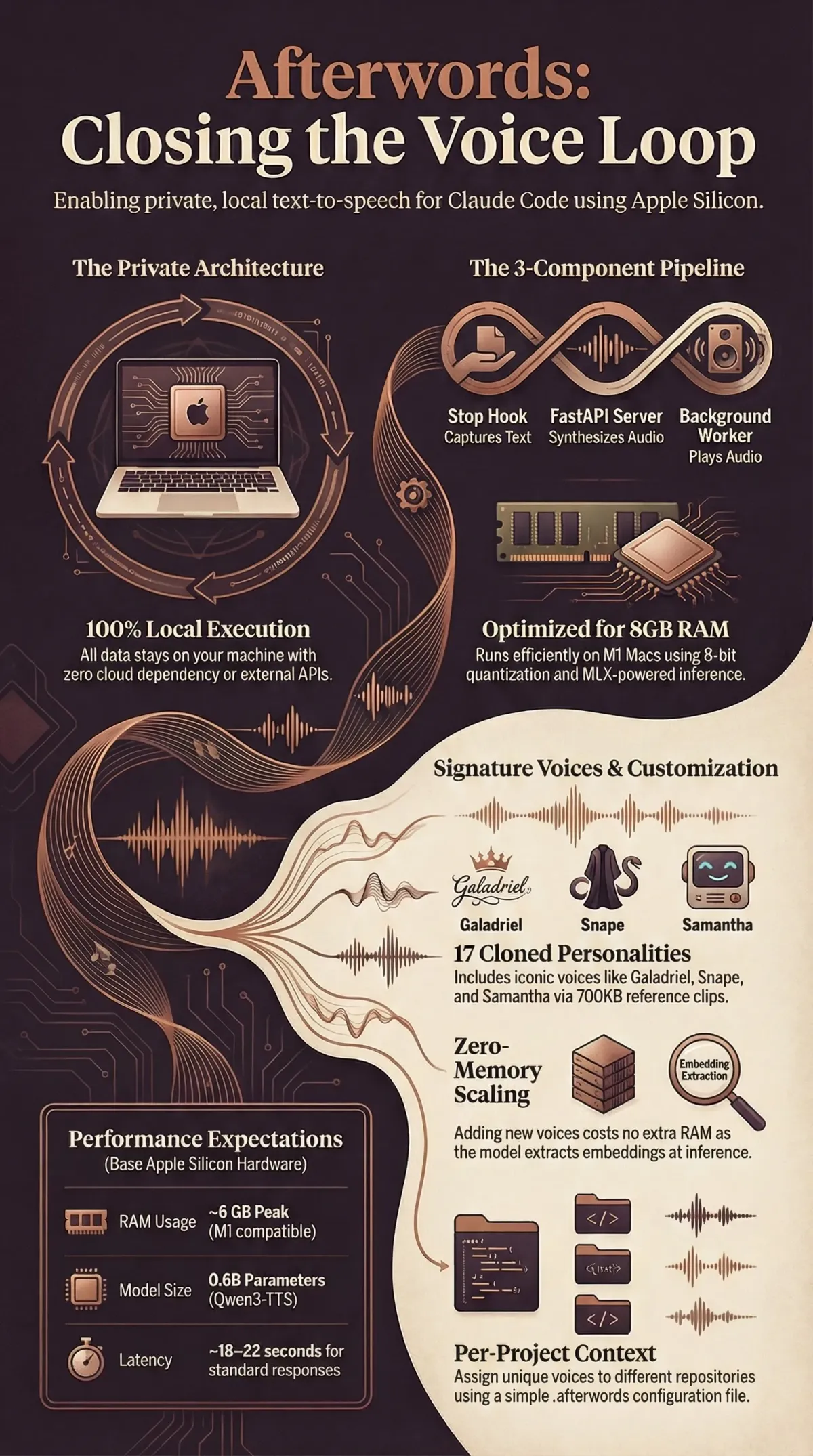
- TTS server — loads Qwen3-TTS once (~6 GB peak), serves voices on
localhost. Each voice is a 700 KB WAV reference clip plus a transcript string; the model extracts speaker embeddings at inference time, so adding a voice costs no extra memory. - Stop hook — fires after every coding-agent response, strips markdown, truncates, queues the text.
- Background worker — processes the queue serially with mkdir-based locking (no audio overlap) and archives each response as audio.
Per-project voice selection
Drop a .afterwords file in any repo root containing a voice name. The hook reads it on every synthesis call — switch projects, switch voices, no restart needed.
Origin
The TTS server was built for SPARK — a robot companion that needed three distinct voices cloned from YouTube clips. The voice cloning pipeline was already running on localhost; a stop hook was the only missing piece. Everything since has been about making “the voice is yours” hold as the project scaled off a single machine.
Setup
One command: bash setup.sh. It checks hardware, installs dependencies, downloads model weights, walks through optional voice cloning, wires the coding-agent hook, and configures launchd auto-start. (Use --server-only to skip the agent integration.)
Requirements: Apple Silicon Mac (M1+), 8 GB RAM (0.6B model; 16 GB for 1.7B), Python 3.11+. Optional menu-bar app and hosted cloud tier on top.