Afterwords
Local voice output for Claude Code — 17 cloned voices, per-project selection, zero cloud dependency.
Listen while you read
Related episodes
Blog posts in PiCar-X
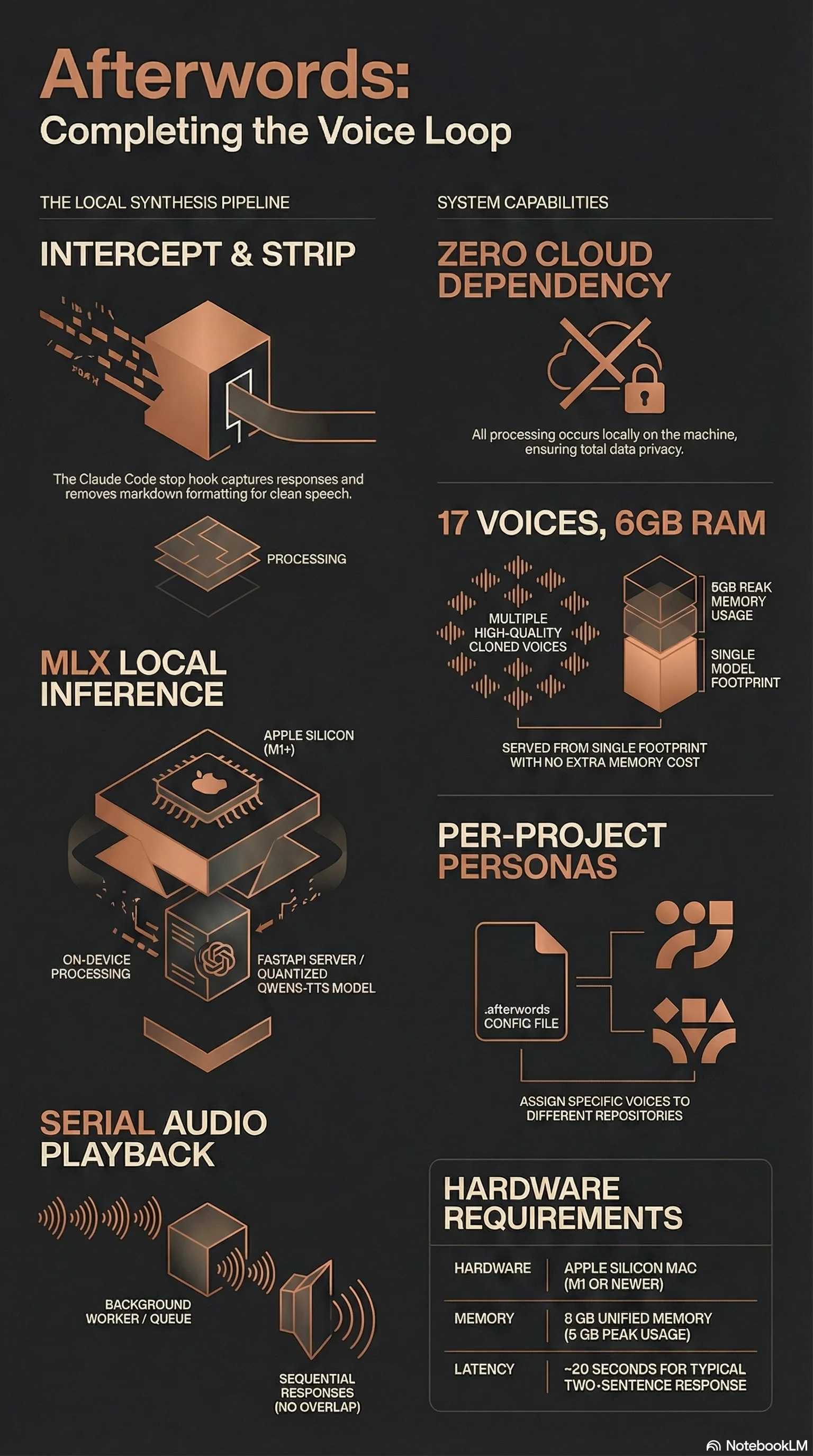
Afterwords completes the voice loop in Claude Code. Claude Code already listens — hold Space, talk, it transcribes. But every response comes back as text. Afterwords intercepts every response via a stop hook, sends the text to a local TTS server, and plays it through the speaker. Two-way voice conversation with your coding assistant, running entirely on your machine.
How It Works
Three components, all local:
-
TTS server — FastAPI app running Qwen3-TTS Base (0.6B, 8-bit quantised) on MLX. Loads once (~6 GB peak), serves any number of voices via a single HTTP endpoint on
localhost:7860. -
Stop hook — Fires after every Claude Code response. Strips markdown formatting, truncates long responses, queues text for synthesis.
-
Background worker — Processes the queue serially with mkdir-based locking. No audio overlap. Responses archived as MP3 in
~/.claude/tts-archive/.
17 Voices, Zero Extra Memory
Each voice is a 700 KB WAV reference clip and a transcript string. The model extracts speaker embeddings at inference time — no fine-tuning, no per-voice model copies. All 17 voices serve from a single 8 GB M1 with no measurable difference in memory usage.
Included voices span Galadriel (Cate Blanchett), Snape (Alan Rickman), Avasarala (Shohreh Aghdashloo), Spock (Leonard Nimoy), and 13 others — plus a custom voice cloning pipeline for adding your own from a 15-second YouTube clip.
Per-Project Voice Selection
Drop a .afterwords file in any repo root containing a voice name. The hook reads it on every synthesis call — switch projects, switch voices, no restart needed. SPARK development gets Vixen. This website gets Galadriel. Security research gets Snape.
Origin
The TTS server was built for SPARK — a robot companion that needed three distinct voices cloned from YouTube clips. The voice cloning pipeline was already running on localhost. Claude Code was already running on the same machine. A stop hook was the only missing piece.
Setup
One command: bash setup.sh. Checks hardware, installs dependencies, downloads model weights, walks through optional voice cloning, wires the Claude Code hook, configures launchd auto-start. Five minutes from clone to conversation.
Requirements: Apple Silicon Mac (M1+), 8 GB RAM, Python 3.11+, Claude Code.